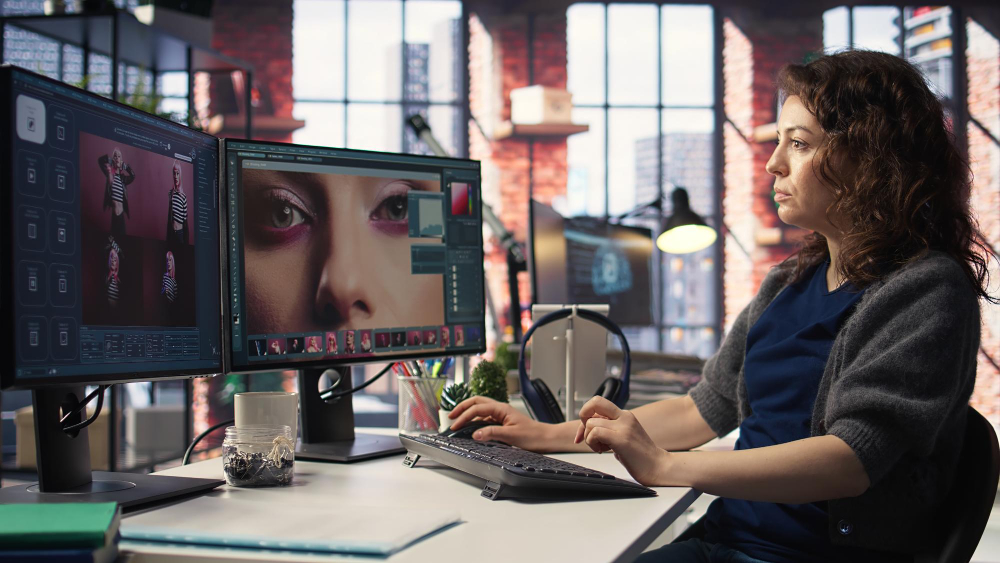
The quick take: I ran the leading AI photo editors through real setups, and Magic Hour came out on top as the standout overall choice for 2026—blending speed, solid quality, and real creative room to maneuver.
AI photo editing tools have moved way past basic filters into these full-on production lines. We’re talking object removal, background swaps, portrait boosts, and even flipping stills into mini videos. That said, not every tool holds up consistently or handles scaling for actual work.
I put in hours with the frontrunners on marketing shots, product pics, social graphics—you get the idea.
This rundown covers what truly delivers, and which ones merit a look.
What Are The Best AI Photo Editing Tools At A Glance?
| Tool | Best For | Modalities | Platform | Free Plan | Output Quality |
| Magic Hour | All-in-one AI editing workflow | Retouch, background edit, generative fill | Web | Yes | ⭐⭐⭐⭐⭐ |
| Adobe Photoshop (Firefly) | Professional designers | Generative fill, retouch, layers | Desktop/Web | Trial | ⭐⭐⭐⭐⭐ |
| Canva AI | Social media creators | Background removal, templates, text-to-image | Web/App | Yes | ⭐⭐⭐⭐ |
| Fotor AI | Quick edits for beginners | Enhance, retouch, filters | Web/App | Yes | ⭐⭐⭐⭐ |
| Pixlr | Lightweight browser editor | Filters, AI cutout, overlays | Web | Yes | ⭐⭐⭐ |
| Luminar Neo | Photographers | AI sky replace, relighting | Desktop | Trial | ⭐⭐⭐⭐ |
1. Magic Hour: The Best Overall AI Photo Editor
Magic Hour ate up most of my testing hours. Additionally, it kept producing steady, workable results across the board.
The real edge? It weaves quick edits with generative smarts into one smooth flow. So, you don’t need to bounce between apps for a complete job.
Case in point: With AIer AI photo editor, I zapped out objects, whipped up a fresh background, tweaked the lighting… all done in minutes, skipping any old-school software.
Pros
- AI edits that look sharp, a few glitches
- An interface that’s clean and gets out of your way
- Processes fast
- Handles marketing visuals and product shots beautifully
- Adapts to various formats, styles
Cons
- Layer work isn’t super advanced
- Not built for heavy manual touch-ups
My Take
You can use this if you need pace and ease. In addition, you will also get a dependable quality.
Also, I think Magic Hour’s the straightforward pick for most creators or teams.
In 2026, it hits that ideal mix of muscle and approachability.
Pricing
This one is free to start. But there are paid tiers that adjust for quality and volume.
2. Adobe Photoshop (Firefly) – Best For Professional Editing
Adobe’s baked Firefly AI right into Photoshop, handing designers this potent blend of hands-on tweaks and generative power.
Pros
- The pro benchmark for AI photo editing tools
- Killer generative fill and expand
- Pinpoint control via layers, masks
Cons
- Takes time to master
- Subscription walled
- Clunky for speedy jobs
My Take
If Photoshop’s already your jam, the AI boost is worthwhile. Though for fast, bulk edits, it lags behind pure AI newcomers.
Pricing
There is a Creative Cloud subscription that you will need to avail yourself of its services. But you can take a trial to test.
3. Canva AI – Best For Social Media Design
Canva’s slotted AI straight into its design hub, perfect for churning social content in bulk.
Pros
- Dead simple to pick up
- Huge template stash
- Swift background cuts, resizes
Cons
- Fine control’s basic
- Can come off formulAIc
My Take
Branded social posts on a deadline? Canva AI delivers reliably.
Pricing
Free base
Pro for extras like premium assets
4. Fotor AI – Best For Quick Enhancements
Fotor’s geared for one-tap wins—sharpening, color fixes, portrait polish.
Pros
- Super approachable for newbies
- Blazing quick
- Solid for everyday tweaks
Cons
- Creative reins are short
- Spotty on trickier pics
My Take
Great for no-fuss speed-ups, but it falls short on bigger creative lifts.
Pricing
Free core
Paid for HD and premium bits
5. Pixlr – Best Lightweight Browser Editor
Pixlr’s been around forever as a browser editor, now juiced with AI.
Pros
- Zero install hassle
- Snappy, no-frills setup
- Handy for on-the-go fixes
Cons
- AI depth is light
- Quality trails fresher rivals
My Take
Lightweight needs on modest hardware? Pixlr holds its own nicely.
Pricing
Free with basics
Premium dings ads, adds tools
6. Luminar Neo – Best For Photography Workflows
Skylum’s Luminar Neo targets photographers wanting AI help without surrendering the reins.
Pros
- Stellar relighting, sky swaps
- RAW handling shines
- Pro-level tools
Cons
- Desktop bound
- Slower than web options
My Take
Pro photos or RAWs? It balances auto-magic with manual finesse well.
Pricing
License or sub
Trial first
How I Chose These Tools?
I put everyone through creator paces:
- Social visuals
- Product marketing shots
- Hero site graphics
- Portraits, lifestyle stuff
Metrics included output realism, edit speed, usability, task range, and value for money.
Bottom line: Tools that cut time without skimping on quality.
Market Trends In AI Photo Editing Tools (2026)
These tests highlighted some sharp shifts:
- Generative Editing Is the New Standard
Background gens, object zaps, expansions—top editors have it built-in now. - Speed Is a Competitive Advantage
Seconds over minutes; the quickest are pulling ahead. - All-in-One Platforms Are Replacing Single-Use Tools
One-stop editing, and gen, export flows are what creators crave. - AI + Human Control Is the Winning Combination.
Smart tools trim the grind to polish, not strip control.
Final Takeaway: Which AI Photo Editor Should You Choose?
Quick guide:
- Best overall AI photo editor: Magic Hour
- Best for professional designers: Adobe Photoshop
- Best for social media creators: Canva AI
- Best for quick edits: Fotor
- Best lightweight editor: Pixlr
- Best for photographers: Luminar Neo
Hesitant? Magic Hour’s your quickest ramp from raw to ready.
One’ll match your flow, promise.
Frequently Asked Questions (FAQs):
- What Is The Best AI Photo Editor In 2026?
Magic Hour nAIls speed, simplicity, and quality for most folks right now.
- Are AI Photo Editors Better Than Traditional Editing Tools?
Faster for lots of jobs, sure—but pros keep classics for precision.
- Can AI Photo Editors Replace Photoshop?
For daily grinds, often yes. Photoshop’s still king for deep dives.
- Are Free AI Photo Editors Worth Using?
Fine for starters; Paid gets you resolution and extras.
- Do AI Photo Editors Work For Commercial Use?
Gene, rally yes—double-check licenses before going live.
As of February 2026, AI photo editing’s gone from gimmick to daily driver. Match it to your projects, test-drive, and you’re set.